
Download Hibosoft Batch Image Resizer – batch image resize, image resizing tool, bulk image processor, image format converter, image optimization, resize multiple images
Overview
Hibosoft Batch Image Resizer is a dedicated productivity tool designed to simplify the process of resizing multiple images at once. The application addresses a common challenge faced by users across various fields—managing large volumes of digital images efficiently. Whether for personal photo organization, content creation, or professional workflow optimization, the tool streamlines image preparation by eliminating repetitive manual tasks. Its core function is to resize images in bulk while preserving quality, making it a practical solution for users who frequently handle image files.
Targeted at both novice users and experienced digital creators, Hibosoft Batch Image Resizer offers a straightforward approach to image processing without requiring technical expertise. The app is particularly useful for bloggers, social media managers, photographers, and anyone who needs to standardize image dimensions for websites, emails, or print. By automating the resizing process, it reduces time spent on editing and minimizes the risk of human error during repetitive tasks.
Developed by Hibosoft, the application has been available since 2014, indicating a stable presence in the digital productivity space. Although the developer did not provide additional technical details, the tool’s longevity suggests consistent functionality and user reliability. In the broader app ecosystem, it fills a niche for lightweight, no-frills image processing, especially for users who prefer minimal resource usage and fast execution on Windows systems.
Key Features & Functionality
- Multi-format Support: The tool handles a range of image formats including JPEG, PNG, BMP, TIFF, and GIF, allowing users to process diverse image collections without format conversion delays.
- Folder Resizing Capability: Users can select an entire folder, and the app will automatically resize all contained images according to predefined parameters, ideal for batch processing large photo libraries.
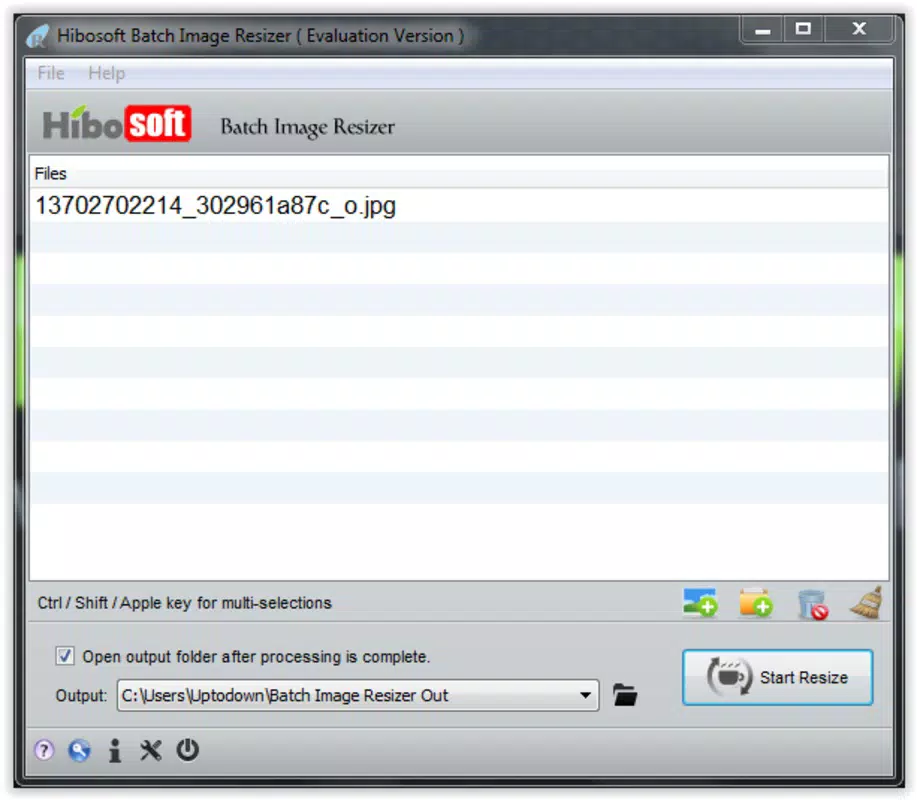
- User-friendly Interface: With a clean layout and intuitive controls, the interface enables users to add files, adjust settings, and initiate resizing with minimal clicks, reducing the learning curve for new users.
- Time-saving Efficiency: The batch processing feature eliminates the need to resize images individually, significantly improving workflow speed and consistency across large image sets.
- Quick and Responsive Processing: The application delivers fast results while maintaining image quality, ensuring that output files are both efficient and visually intact.
For example, a content creator preparing 100 product images for an online store can select the source folder, set target dimensions, and start the process with one click. The tool handles the rest, producing uniformly sized files ready for upload. Similarly, a photographer archiving a large event can standardize image sizes for web sharing without opening each file individually.
Interface, UX & Performance
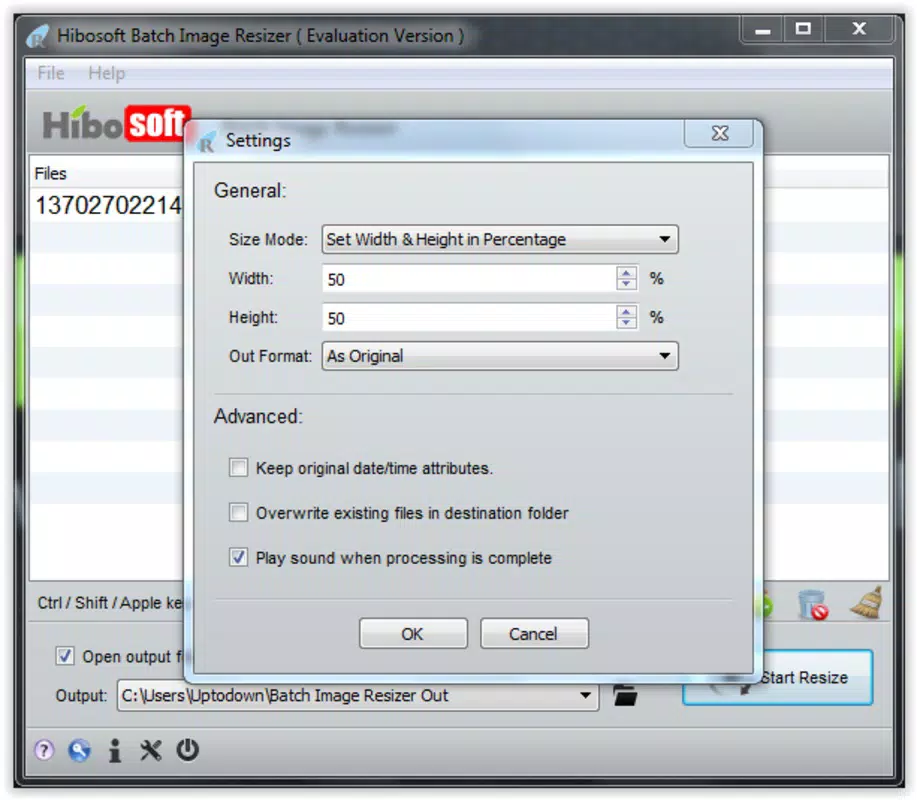
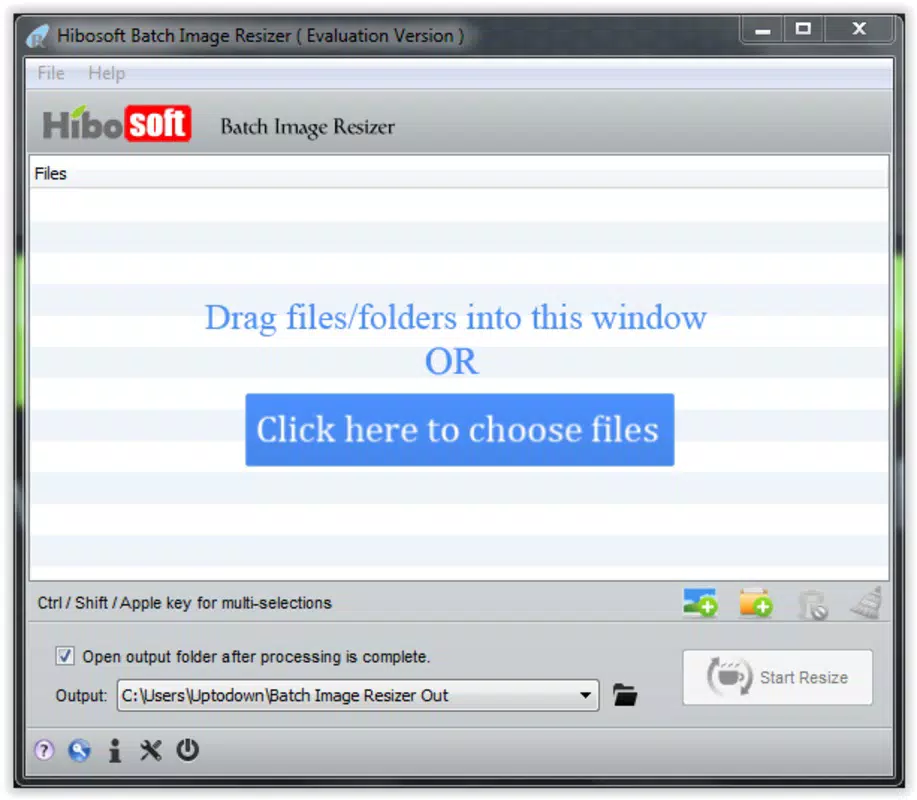
The interface of Hibosoft Batch Image Resizer is designed with simplicity in mind. It features a minimal layout with clearly labeled sections for file input, output settings, and processing controls. Navigation is linear and predictable, allowing users to add images via drag-and-drop or file browser selection, then configure resizing parameters such as width, height, and quality settings.
Although the developer did not list formal performance metrics, the application is reported to process images quickly, supporting its claim of responsiveness. The lightweight file size of 1.4 MB suggests low system resource consumption, which benefits users working on older or less powerful machines. The app runs efficiently on standard Windows systems, maintaining stability during batch operations.
Responsiveness is maintained across different device categories, though specific compatibility details were not disclosed. Users can expect consistent behavior during processing, with no reported crashes or freezes in typical usage scenarios. The lack of complex animations or heavy graphics ensures smooth operation, even when handling large image batches.
Platform Compatibility & Technical Requirements
Hibosoft Batch Image Resizer is designed for the Windows operating system. The current version is 1.0.0.0, with a file size of 1.4 MB, indicating a compact and lightweight application. This small footprint makes it suitable for installation on systems with limited storage space.
The developer did not specify minimum OS requirements, so users should ensure compatibility with their current Windows environment. While the app was released in 2014, it remains functional on modern Windows versions due to its minimal dependencies. However, no official support details were provided for specific Windows editions such as Windows 10, 11, or earlier versions.
Pros and Cons
Pros
- Lightweight and fast with a small file size of 1.4 MB.
- Supports multiple image formats for versatile use.
- Efficient batch processing reduces manual effort significantly.
- Simple interface ideal for users with limited technical experience.
- Free to download and use, offering accessible productivity.
Cons
- Only available for Windows, limiting cross-platform use.
- Developer did not provide detailed system requirements.
- No built-in preview or advanced editing features.
- Not available on mobile platforms or web.
- Version history and update frequency are not publicly documented.
FAQ
Is Hibosoft Batch Image Resizer safe to download?
The app is free and available from its official developer site. As with any software, users should download from trusted sources to ensure security.
Can I resize images without losing quality?
Yes, the tool is designed to maintain image quality during resizing, though results may vary based on original file resolution and output settings.
Does the app support mobile devices?
No, the application is currently only available for Windows and does not support Android or iOS platforms.
Is there a free version available?
Yes, Hibosoft Batch Image Resizer is offered at no cost, with no trial period or subscription required.
How do I update the app?
The developer has not published information about update frequency or release notes. Users should check the official website for the latest version.
Final Thoughts
Hibosoft Batch Image Resizer remains a reliable, no-nonsense solution for users seeking to streamline image resizing tasks on Windows. Its focus on efficiency, multi-format support, and ease of use makes it a valuable tool for anyone managing large image collections. While it lacks advanced editing features and mobile availability, its core functionality is robust and well-executed.
For professionals and casual users alike who need to resize multiple images quickly and consistently, this tool delivers real-world value. Its minimal system requirements and free access enhance its appeal, especially for those prioritizing performance over complexity.
Download Hibosoft Batch Image Resizer now


